I Built a Free Finance App for Swedish Households. Here's Why.
How and why I built Hemekonom, a free household finance dashboard with AI analysis, automatic loan tracking, and pension projections for Swedish families.
I Built a Free Finance App for Swedish Households. Here's Why.
March 4, 2026
I kept looking for a personal finance app that actually worked for how my household operates. Something where my partner and I could see our shared mortgage, joint expenses, and individual savings in one place. Everything I found was either built for a single person, locked behind a subscription, or just a glorified spreadsheet.
So I built Hemekonom.
It's a free personal finance dashboard for Swedish households. You put in your assets, debts, cash flows, and pensions, and it gives you a complete picture of your financial health. It has AI analysis, automatic loan tracking, pension growth calculations, and household sharing built in. No ads, no data selling, no app store download needed.
This post walks through what it does and why I made the choices I did.
Why I Built It
The statistics around Swedish household finances are honestly kind of alarming:
- Almost no Swedish households have a detailed budget (Finansinspektionen 2024)
- The average mortgage debt per household is 1.9 million SEK (SCB 2024)
- 7 out of 10 people don't know how much pension they'll get (Pensionsmyndigheten 2024)
- 2.4 million Swedes can't cover an unexpected expense of 12,000 SEK (SCB / EU-SILC 2024)
The thing that really bugged me was that most finance tools treat your economy as a solo activity. But if you share a mortgage, split childcare costs, and have a joint grocery budget, you need something built for two people. That was the starting point for Hemekonom.
What It Actually Does
Net Worth Overview
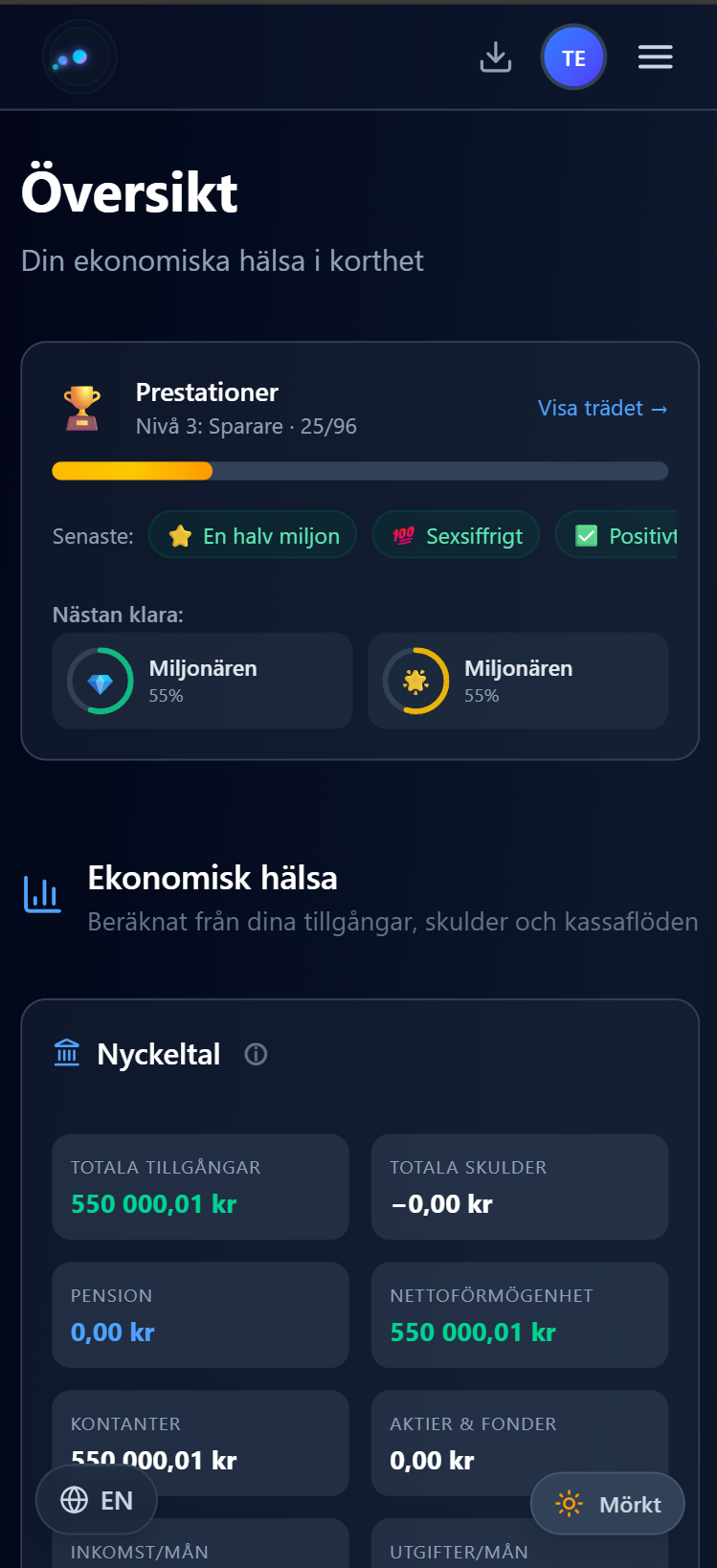
The main dashboard gives you one number: your net worth. Assets plus pensions minus debts. Below that you get your solvency buffer (how many months you could survive without income), your monthly cash flow, and a few key ratios.
It updates automatically as you add data and save budgets.
Monthly Budget
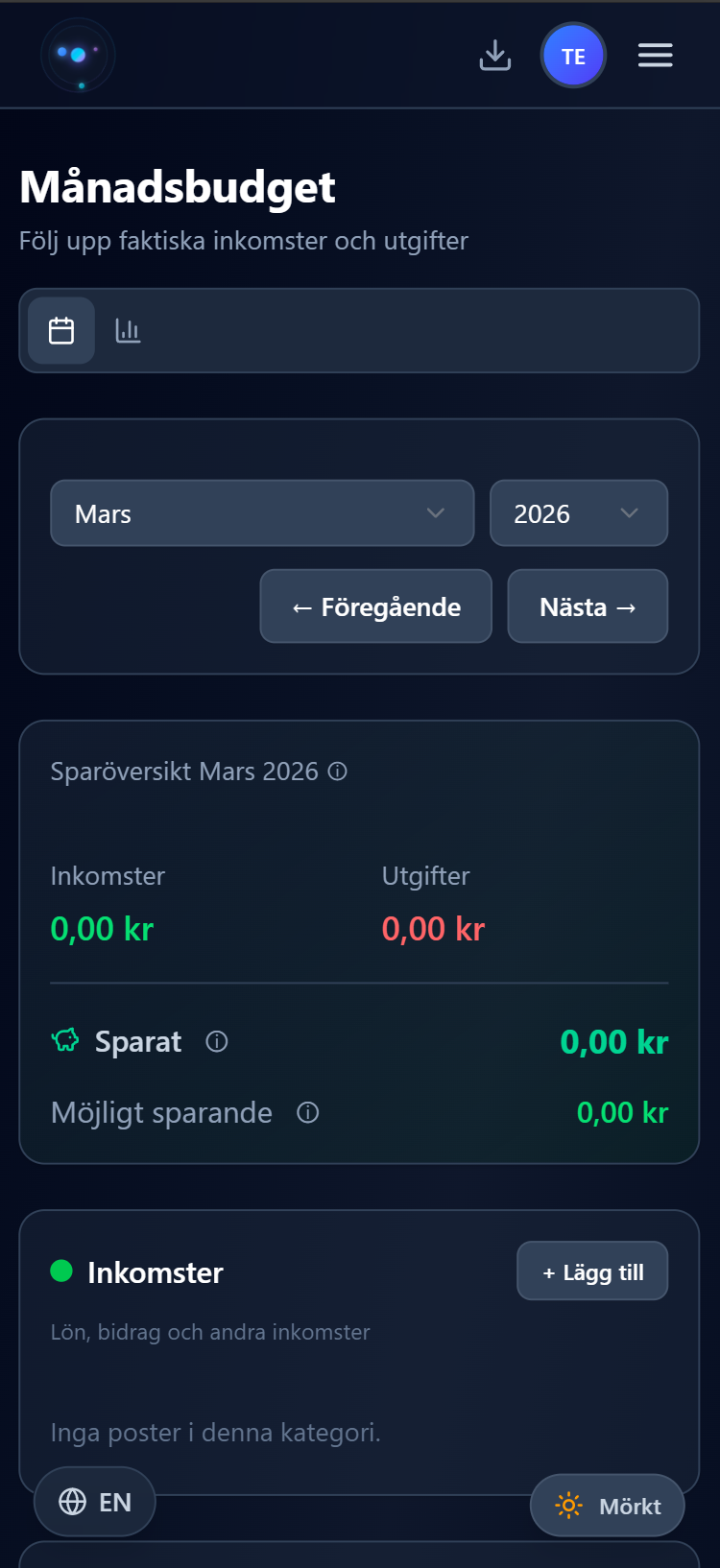
You enter your expected cash flows once (salary, rent, subscriptions, loan payments) and Hemekonom pre-fills each month's budget for you. At the end of the month, you go in and enter what you actually spent. The app shows you where you went over and where you came in under, with color-coded highlights.
But the part I'm most happy with is what happens automatically when you hit save:
- Loan payments get split into interest and amortization. The debt balance updates on its own.
- Savings flows update asset balances. If you've linked a cash flow to a savings account or fund, the balance goes up by the actual amount.
- Pension values grow. Monthly yield (based on expected annual return) plus your monthly contribution gets added automatically.
All of these are reversible. If you re-save the same month, the old calculations get undone first so nothing gets double-counted.
Managing Your Data
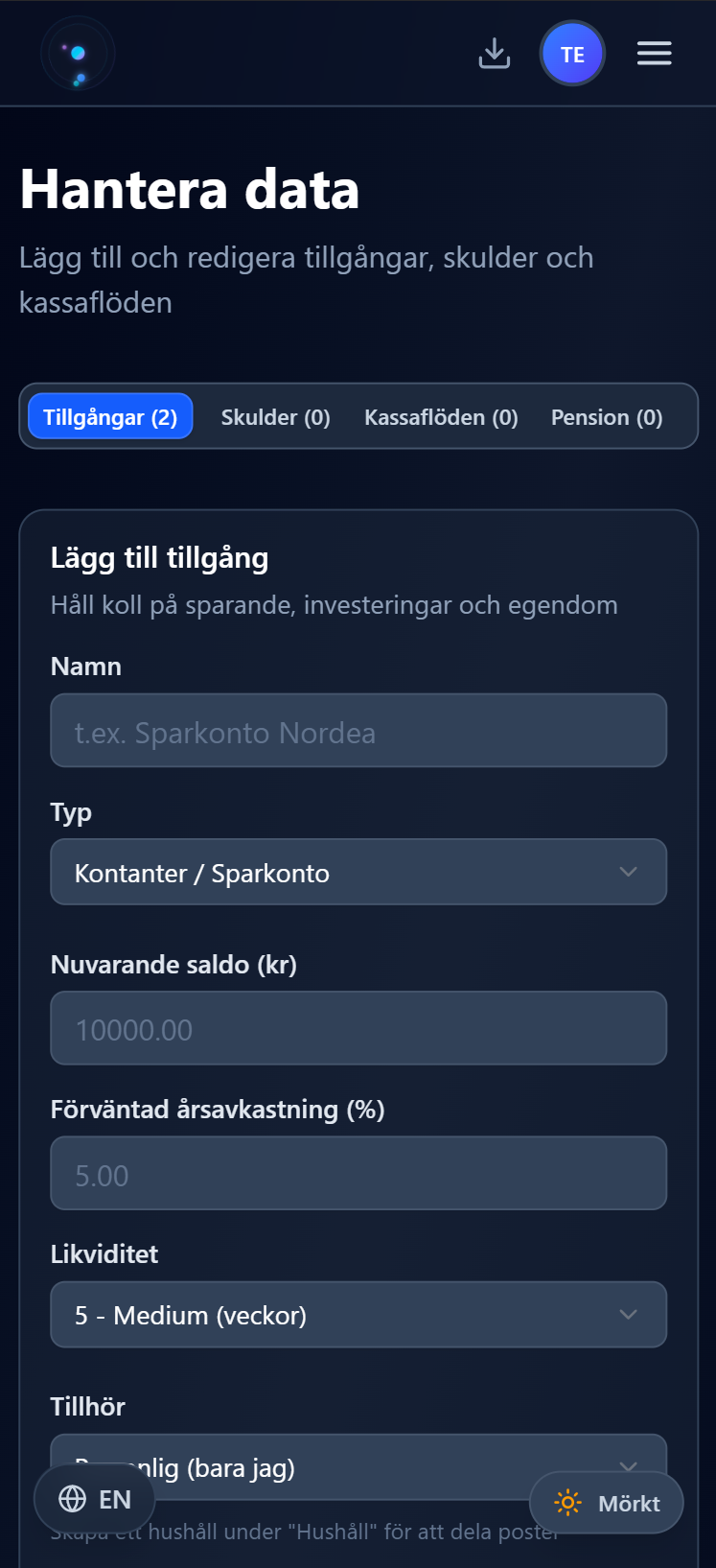
There are four tabs for entering your financial data:
| Tab | What goes here |
|---|---|
| Assets | Savings accounts, stocks/funds, real estate, other valuables. Each gets a liquidity score from 1 to 10. |
| Liabilities | Mortgages, car loans, student loans, credit cards. Fixed or variable rate. |
| Cash Flows | All your income and expenses, sorted by category: fixed, flexible, discretionary, or savings. |
| Pensions | Public, occupational, and private. Provider, expected yield, monthly contribution. |
The key feature here is linking. You can link a cash flow to a specific debt (for automatic amortization tracking) or to a specific asset (for automatic balance updates). This is what makes the budget automations work.
AI Analysis
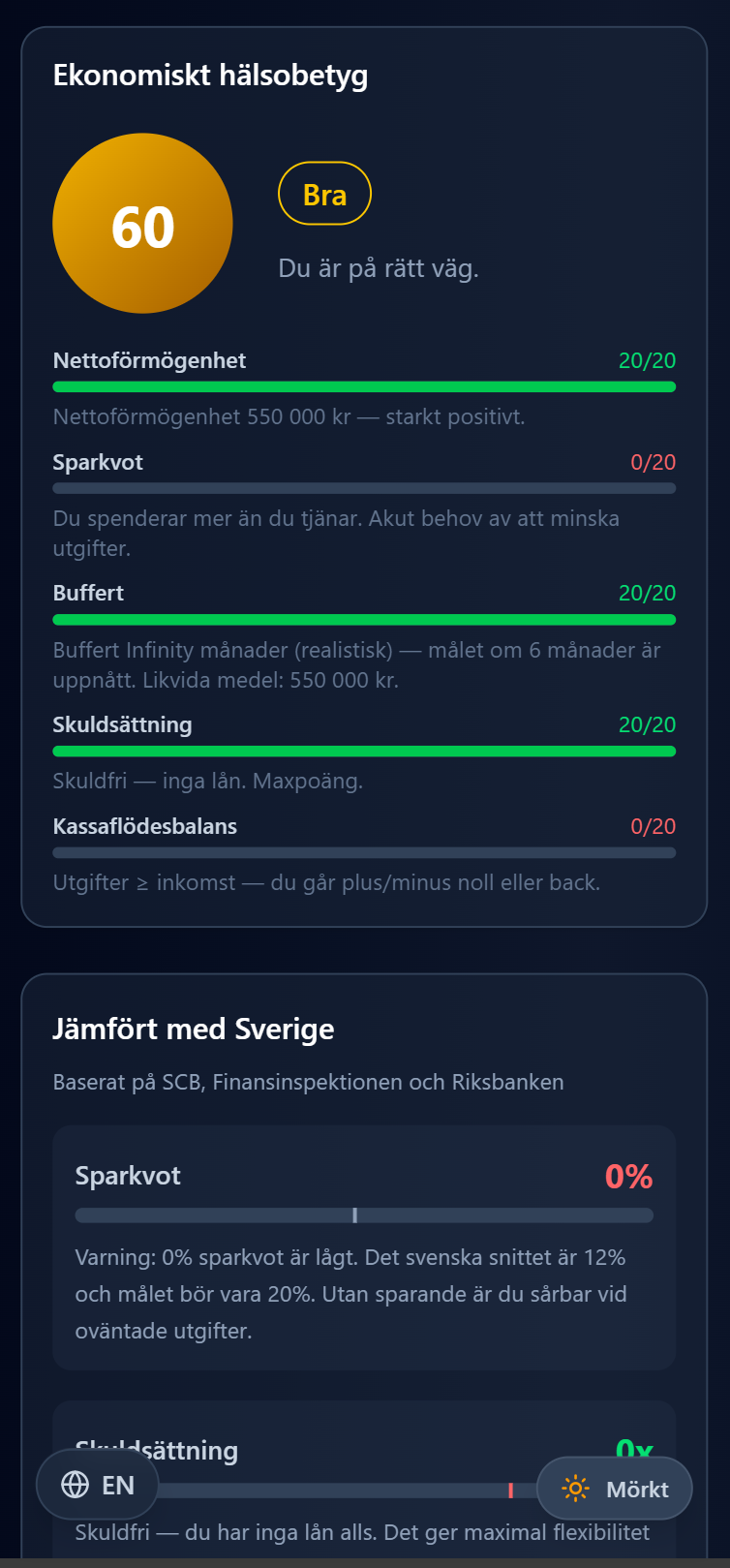
This is probably the feature people find most interesting. You click "Run AI Analysis" and it looks at your complete financial picture and gives you:
- A health score from 1 to 100 with a prioritized list of things to improve
- Stress tests that simulate what happens if interest rates go up, you lose your job, or inflation rises
- A pension gap analysis showing how much extra you'd need to save each month
- Benchmark comparisons against national averages for your age, income, and family situation
A professional financial advisor charges 500 to 2,000 SEK per hour for roughly the same thing. This is free.
Loan Strategy and Savings Projections
For loans, the app shows you which ones to prioritize (highest interest first, the debt avalanche method), when each loan will be paid off, and a year-to-date breakdown of how much you've amortized per month.
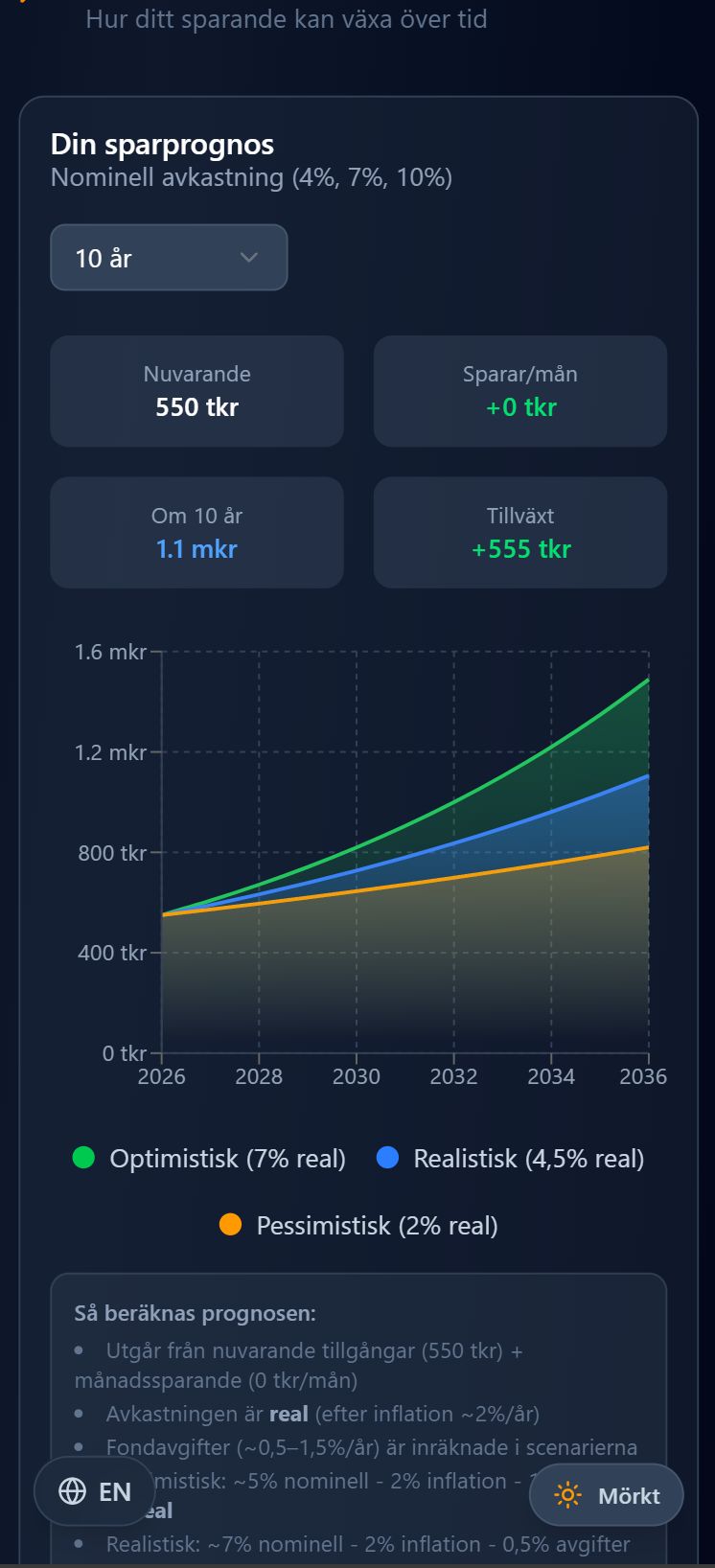
For savings, there's a projection tool that shows how your money could grow over 5 to 30 years, with conservative (4%), expected (7%), and optimistic (10%) scenarios. In the app this is calculated from your actual data. On the landing page there's an interactive version anyone can play with.
Household Sharing
This was one of the core reasons I built the app. Here's how it works:
- You create a named household, like "Familjen Svensson" or "Villa Eken"
- You generate an invite code and send it to your partner
- You choose whether they can edit or just read
- When either of you creates an asset, debt, or cash flow, you tag it as household or personal
- Both of you see the combined picture in real time
There's also a separate read-only sharing link you can send to a financial advisor or family member. They see your full overview but can't change anything.

Yearly Overview
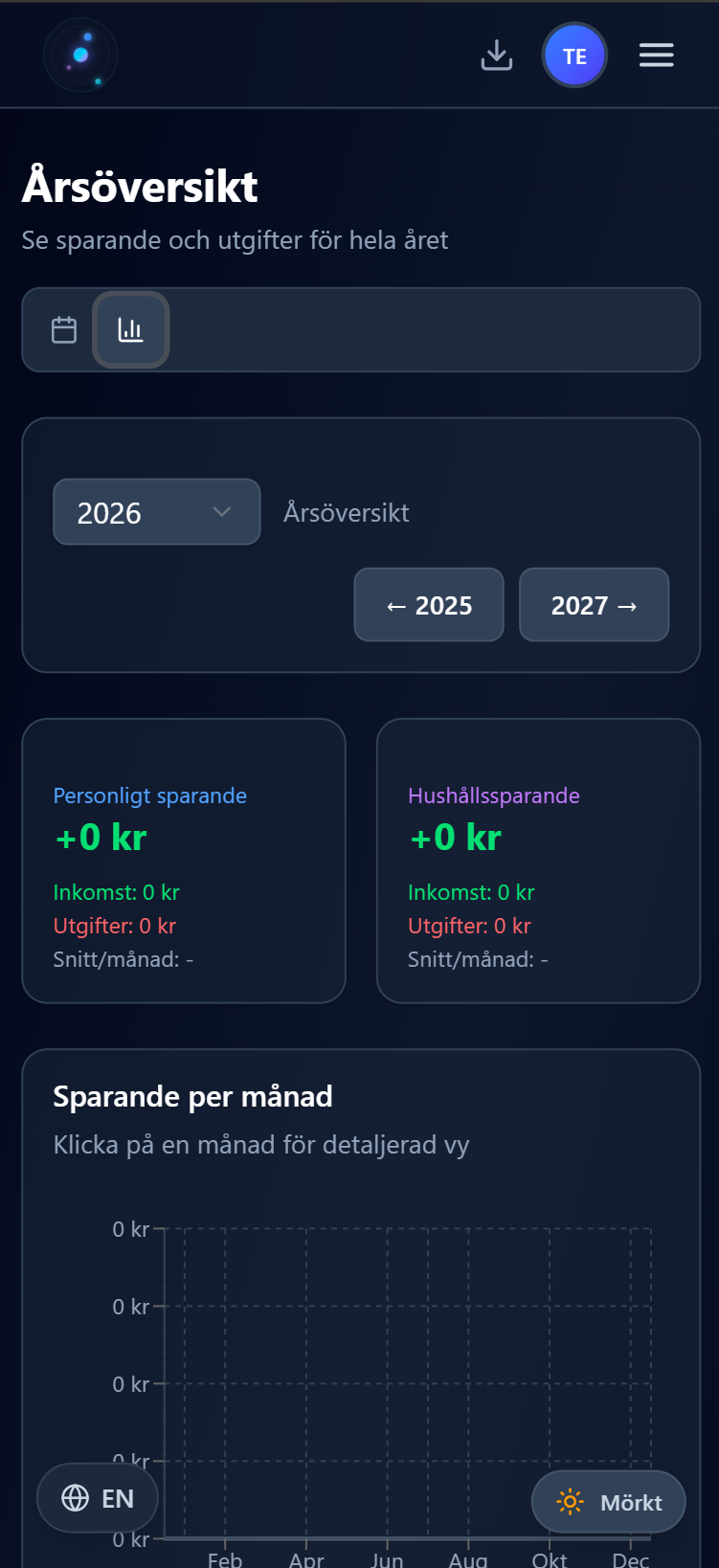
A simple bar chart that shows your actual savings per month for the whole year. It includes total savings, monthly average, and a dashed reference line showing what your expected savings should be based on your cash flows. You can click any bar to jump to that month's budget.
The Tech Stack
For anyone curious about how it's built:
- Next.js 16 with Turbopack
- Prisma with SQLite locally and Turso/libSQL in production
- Tailwind CSS and shadcn/ui for the component library
- NextAuth.js for auth (email/password and Google)
- It's a PWA, so you can install it directly from the browser
- Swedish by default with English as a second language, using a lightweight custom i18n setup
- PostHog for opt-in analytics with proper cookie consent
- Deployed on Vercel
One small thing I'm glad I got right early: all monetary values are stored in cents (öre). Sounds trivial, but floating-point math and money do not mix, especially when you're dealing with mortgage balances in the millions.
The Automations in Detail
This is where I think Hemekonom really pulls ahead of a regular spreadsheet.
Amortization tracking. You link a cash flow (like your monthly mortgage payment) to a specific debt. When you save the budget, the app looks at the debt's interest rate, calculates how much of your payment went to interest and how much to actual amortization, and updates the remaining balance. You see a breakdown right there in the budget.
Asset deposit tracking. Same idea but for savings. Link a savings cash flow to a bank account or an investment fund. When you save the budget, the asset's balance goes up by the actual amount you put in.
Pension growth. Every time you save a monthly budget, each pension's value is updated. The formula is simple: currentValue * (expectedYield / 12) + monthlyContribution. If you re-save the same month, the previous growth is reversed first, so you never get duplicate additions.
Arbitrage analysis. The dashboard compares your savings interest rates against your loan rates and tells you whether it makes more mathematical sense to amortize or invest. Just the numbers, no opinion.
Who Is This For
I built Hemekonom primarily for Swedish couples and families who share finances. People who have a mortgage together, split the grocery bill, and want to see where they actually stand financially. But it works fine for individuals too.
If you've ever wondered "should I amortize extra or invest instead?" or "what's my actual net worth?" or "am I saving enough for retirement?", this is the tool I built to answer those questions.
It's also a PWA, so it works great on your phone without needing to download anything from an app store. Just open the site and tap install.
Getting Started
- Go to hemekonom.com
- Create an account (takes about 30 seconds, email or Google)
- Fill in your profile (your industry, housing situation, family, that kind of thing. The AI uses it.)
- Add your assets, debts, cash flows, and pensions
- Link loan payments to debts, and savings flows to accounts
- Run the AI analysis
- Invite your partner to your household
That's basically it.
Try It Out
Free. No credit card. No ads. No data selling. Just a tool I built because I needed it, and figured other people might too.
If you have questions or feedback, you can reach me at davidelfvinglong@gmail.com.